Instant Access • Zero License Limits
3000+ Plugins & Themes with Auto-updates

Supercharge your WordPress workflow with automated background deployments, original developer files, and zero activation locks.

Featured Bestselling Plugins Included
Mastering the Elementor Pro Template Kits Workflow for Web Agencies
Scroll Below to Read
Oct 23, 2026

Mastering the Elementor Pro Template Kits Workflow for Web Agencies
Mastering the Elementor Pro Template Kits Workflow for Web Agencies
3000+ Premium Plugins @ $3/year

Access directly in your WordPress with auto-updates.

Sign Up Now

Introduction to Scalable Agency Operations

For digital agencies and freelance web developers, scalability relies entirely on repeatable processes. When you manage dozens or hundreds of client websites, building every landing page, header, and checkout flow from scratch is a fast track to burnout and squeezed profit margins. This is where mastering an advanced Elementor Pro template kits workflow transforms your production cycle.

By leveraging pre-designed architectural layouts, standardized global styles, and enterprise-grade GPL tools from providers like WPDistro, your team can pivot from writing repetitive CSS to focusing on high-value strategy and client conversion. This guide provides a deep technical breakdown of how to build, deploy, and scale an efficient template kit pipeline that guarantees design consistency across every single client build while drastically speeding up agency delivery times.


AI Overview: Quick Technical Answers

  • What is an Elementor Pro template kit? A curated collection of page templates, theme builder parts (headers, footers, single post layouts), and global settings exported as a unified package or applied via the Template Library.
  • How do template kits speed up delivery? They eliminate repetitive layout configuration, allowing developers to import entire multi-page structures with synchronized global typography and color palettes in under five minutes.
  • Can template kits be customized? Yes. Because they utilize native Elementor widgets and Theme Builder conditions, every block, section, and dynamic tag remains fully editable.
  • Where do agencies source reliable assets? Utilizing secure GPL repositories like WPDistro ensures agencies have access to enterprise-level tools without inflating overhead costs.

The Anatomy of an Efficient Template Kits Workflow

An amateur workflow involves downloading random kit zips, importing them blindly, and spending hours fixing broken typography scales and missing global colors. A professional Elementor Pro template kits workflow follows a strict, four-stage architectural pipeline:

  1. Global Systems Foundation: Setting up site settings, typography scales, container layout defaults, and color variables before importing any page layouts.
  2. Component Modularization: Breaking down headers, footers, archive loops, and single post templates into reusable Theme Builder conditions.
  3. Content Placeholder Mapping: Utilizing dummy content structures that mirror the client’s actual copywriting architecture.
  4. Performance & Quality Assurance (QA): Running Core Web Vitals audits, cleaning up unused asset requests, and verifying responsive breakpoints.

When combined with robust infrastructure choices discussed in insights like top-5-alternatives-to-buying-individual-premium-wordpress-plugin-licenses-in-2027, agencies can dramatically lower operational friction.


Step-by-Step Implementation Guide

Step 1: Establishing the Global Design System

Before importing any page-level JSON files into your Elementor template library, you must establish the global design tokens. If your global styles are misconfigured, every imported template will inherit erratic padding, margin, and typography rules.

Navigate to Elementor > Settings > Style and define your base configurations, or inject custom CSS variables directly into your child theme’s style.css file:

:root {
  --e-global-color-primary: #0F172A;
  --e-global-color-secondary: #3B82F6;
  --e-global-color-text: #475569;
  --e-global-color-accent: #F59E0B;
  --e-global-typography-primary-font-family: 'Inter', sans-serif;
  --e-global-typography-secondary-font-family: 'Outfit', sans-serif;
}

Step 2: Importing and Mapping Template Kit Files

When importing a kit via Templates > Theme Builder > Import Templates, Elementor will prompt you to import site settings.

  • Exception Case / Common Pitfall: Importing global site settings from a kit can often overwrite custom client brand colors or break existing typography settings on legacy builds.
  • The Solution: Always perform imports on a clean staging environment. Uncheck “Import Site Settings” if you are applying individual page layouts to an already branded website, or map them manually via the Elementor Finder (Cmd+E or Ctrl+E).

Step 3: Configuring Dynamic Theme Builder Conditions

A comprehensive kit includes dynamic elements. Ensure your Archive and Single Post templates are bound to the correct post types. For example, if you are building complex eCommerce funnels, ensure your archive conditions match WooCommerce shop pages seamlessly, echoing principles found in advanced builds like building-dynamic-woocommerce-product-pages-with-elementor-pro-and-secure-gpl-tools.


Optimizing Performance and Speeding Up Agency Delivery Times

Speed is the ultimate competitive advantage for web agencies. Clients want sites launched yesterday, and search engines demand pristine Core Web Vitals scores. Relying on bloated template kits can introduce unnecessary DOM depth and excessive CSS/JS execution times.

To keep your workflows lean and lightning-fast:

  • Enable Flexbox Containers: Never use legacy section/column structures. Flexbox containers drastically reduce HTML markup bloat.
  • Purge Unused CSS: Utilize Elementor’s advanced experiment settings to load only the CSS required for widgets actively present on the page.
  • Source Verified Plugins: Deploy your core ecosystem securely using trusted sources. Agencies that understand the ecosystem often review resources like the-hidden-costs-of-nulled-wordpress-plugins-why-agencies-are-switching-to-verified-repositories to avoid security vulnerabilities while scaling their client base.

By optimizing your asset pipeline, you directly impact bottom-line metrics, successfully speeding up agency delivery times across all active retainer projects.


Frequently Asked Questions

What is the difference between an Elementor Template and an Elementor Template Kit?

An individual Elementor template is a single page or section design (e.g., a contact form section or an about us page). An Elementor Template Kit is a comprehensive collection of interconnected templates—including headers, footers, archives, and homepages—designed with a unified visual style for a specific industry or niche.

How do I prevent template kits from overriding existing site styles?

When importing a template kit through the WordPress dashboard, uncheck the option to import global site settings if you are applying the kit to an existing website with established brand guidelines. Only import the specific page layouts or block structures you require.

Are Elementor Pro template kits SEO friendly?

Yes, provided they are built using clean semantic HTML tags, modern Flexbox containers, and optimized image assets. Pairing your template kits with robust optimization tools ensures top-tier performance on search engines.

Why should agencies use WPDistro for their Elementor Pro needs?

WPDistro provides agencies with reliable, secure, and cost-effective access to essential tools like Elementor Pro via verified GPL distributions, enabling teams to scale operations, protect profit margins, and deliver exceptional client sites without licensing bottlenecks.


Conclusion

Adopting a standardized Elementor Pro template kits workflow is no longer optional for modern digital agencies—it is a mandatory operational requirement. By systematizing your global design tokens, mastering Theme Builder conditions, and sourcing your foundational tools securely through trusted providers like WPDistro, your team can eliminate administrative drag, maximize billable hours, and consistently exceed client expectations.


/* More Articles */

Continue Reading

•WPDistro

How to Fix the Elementor Pro Global CSS in Editor v4

Learn how to fix Elementor Pro global CSS issues in Editor v4 with our technical guide. Get clean code snippets, troubleshooting steps, and tips.

Read Article
•WPDistro

How to Start with Elementor Editor v4: Complete Technical Guide

Master Elementor Editor v4 with our comprehensive technical guide. Learn setup, workflows, and how to scale your WordPress agency efficiently.

Read Article
•WPDistro

#1 GPL site globally. Its WPDistro.

Discover why WPDistro is the #1 GPL site globally. Access 3000+ vetted WordPress plugins and themes with direct dashboard auto-updates.

Read Article
•WPDistro

Download Elementor PRO from Bangladesh in 2027: The Ultimate Guide for WordPress Agencies

Learn how to safely download Elementor PRO from Bangladesh in 2027. Discover secure auto-updates, premium agency tools, and cost-saving solutions with WPDistro.

Read Article
•WPDistro

Download Elementor PRO from India in 2027: The Ultimate Guide

Learn how to safely download Elementor PRO from India in 2027 with auto-updates, secure files, and agency tools for WordPress.

Read Article
•WPDistro

Download Elementor PRO from Nigeria in 2027: The Ultimate Guide for WordPress Agencies

Learn how to download Elementor PRO from Nigeria in 2027 securely. Access auto-updates, premium agency tools, and 3000+ vetted plugins with WPDistro.

Read Article
•WPDistro

Download Elementor PRO from Pakistan in 2027: The Ultimate Agency Guide

Looking to download Elementor PRO from Pakistan in 2027? Discover how WPDistro offers secure plugins, auto-updates, and agency tools starting at $28/year.

Read Article
•WPDistro

Download Elementor PRO from Uganda in 2027: The Ultimate Guide for WordPress Agencies

Learn how to safely download Elementor PRO from Uganda in 2027. Access 3000+ premium WordPress tools, agency tools, and auto-updates with WPDistro.

Read Article
•WPDistro

Best Websites to Get GPL Plugins in Africa: Ultimate Guide

Discover the best websites to get GPL plugins in Africa. Learn how WPDistro delivers secure, malware-free premium tools with automatic dashboard updates.

Read Article
•WPDistro

Best Websites to Get GPL Plugins in Bangladesh (2027 Guide)

Discover the best websites to get GPL plugins in Bangladesh. Compare catalogs, pricing, and auto-updates to see why WPDistro leads the industry.

Read Article
/* Fresh Updates */

Latest Updated Plugins

Recently synchronized source files and version releases.

View All Plugins
WooLentor Pro
2.9.5

WooLentor Pro

WooLentor Pro is a WooCommerce Page Builder Addon for Elementor Page Builder. WooCommerce Builder is included in this plugin to build custom product pages and archive pages. ShopLentor.

View Details
WP Security Ninja Pro
5.308

WP Security Ninja Pro

WP Security Ninja Pro steps in as your silent guardian. With its hassle-free setup and comprehensive coverage, you can focus on what truly matters – your business.

View Details
Returns and Warranty Requests for WooCommerce
2.8.0

Returns and Warranty Requests for WooCommerce

WooCommerce Returns and Warranty Requests terms to your products, and allow your customers to request and manage returns and exchanges directly from their user account.

View Details
Store Locator (Google Maps)
5.4.15

Store Locator (Google Maps)

Agile Store Locator is a premium WordPress Google Maps Plugin designed to offer you immediate access to all the best stores in your local area.

View Details
Brizy Pro
2.8.13

Brizy Pro

Brizy Pro create websites fast & easy with the most intuitive builder, Brizy Plugin is the most user-friendly website builder in town.

View Details
AutomateWoo – Marketing Automation for WooCommerce
6.9.5

AutomateWoo – Marketing Automation for WooCommerce

AutomateWoo Convert and retain customers with automated marketing that does the hard work for you.

View Details
Unlimited Elements for Elementor Premium
2.0.28

Unlimited Elements for Elementor Premium

Unlimited Elements for Elementor Premium is the biggest and best elements library now available for both Elementor and WordPress.

View Details
MailPoet Pro – Email Marketing
5.45.0

MailPoet Pro – Email Marketing

MailPoet Pro Better Email for WordPress-Powered Websites. Send beautiful emails that reach inboxes every time, and create loyal subscribers.

View Details
Duplicator Pro
5.1.1

Duplicator Pro

Duplicator Pro easy, Fast, Powerful. Migrate a site in just minutes. Create, schedule and transfer a copy of your WordPress files and database. Duplicator Pro Nulled and move a site from one location to another quickly.

View Details
LatePoint
5.7.8

LatePoint

LatePoint Appointment Booking and Scheduling for Small Businesses.

View Details
Admin and Site Enhancements Pro
9.3.1

Admin and Site Enhancements Pro

Admin and Site Enhancements Pro is a modular and lightweight WordPress plugin to easily enhance various admin workflows.

View Details
WP Funnels Pro
2.10.4

WP Funnels Pro

WPFunnels Pro to create high converting landing pages, sales funnels, and checkout flows in minutes. Drag & Drop Sales Funnel Builder for WordPress.

View Details
Scalability Pro
6.39.2

Scalability Pro

Scalability Pro is our core WordPress optimization plugin and it’s your performance insurance plan for everything excluding search and filters.

View Details
MetForm Pro
4.1.3

MetForm Pro

MetForm Pro Nulld drag and drop. Make forms in minutes. You can integrate Google Maps Location with your Elementor Page Builder contact form and identify your subscribers’ location easily from the dropdown list.

View Details
JetWooBuilder
2.3.6

JetWooBuilder

JetWooBuilder is a must-have addon allowing to add fully-fledged WooCommerce product pages built with Elementor, use them as templates, and create loads of attractive WooCommerce content with versatile WooCommerce widgets.

View Details
Global Gallery
11.6.0

Global Gallery

Global Gallery can handle unlimited image sources and comes with three gallery layouts, eight lightboxes ready to use and is designed to be displayed on each device.

View Details
AutomatorWP Pro
6.0.3

AutomatorWP Pro

AutomatorWP connects your WordPress plugins and puts them to work together. Save time and money automating tasks with no code.

View Details
WBakery Page Builder
9.1

WBakery Page Builder

WPBakery Page Builder for WordPress is easy to use drag and drop page builder that will help you to create any layout you can imagine fast and easy. JS Composer comes bundled with 2 types of editors allowing you to choose preferred view.

View Details
AIomatic - AI Content Writer
2.9.5

AIomatic - AI Content Writer

AIomatic is The fastest, the best-rated, and the best-selling, overall the #1 AI WordPress plugin to create high quality AI content, edit content using AI, add a chatbot to your site and much more.

View Details
Media File Renamer Pro
6.3.6

Media File Renamer Pro

Media File Renamer Pro is a WordPress plugin that renames your media files. It can be automatic or manual. Media File Renamer Pro Plugin has many features, and if you are a developer you can automate the whole process and how the renaming is performed.

View Details
/* Fresh Updates */

Latest Updated Themes

Recently updated responsive WordPress themes for high-conversion sites.

View All Themes
Soledad 8.7.8 – Multipurpose, Newspaper, Blog & WooCommerce WordPress Theme1.0.0

Soledad 8.7.8 – Multipurpose, Newspaper, Blog & WooCommerce WordPress Theme

Soledad provides a fast, simple, and easy-to-use experience for projects in cryptocurrency, busines, finance, fashion, food, lifestyle, travel, personal, luxury, minimal and any purpose.

View Details
Houzez 4.4.4 – Real Estate WordPress Theme1.0.0

Houzez 4.4.4 – Real Estate WordPress Theme

Houzez the worldwide popular WordPress theme for real estate agents and companies. Houzez Theme is a super flexible starting point for professional designers to create top-notch designs.

View Details
Ohio 3.8.0 – Creative Elementor and WooCommerce WordPress Theme1.0.0

Ohio 3.8.0 – Creative Elementor and WooCommerce WordPress Theme

Ohio is a carefully crafted multi-purpose, minimalist, gorgeous, versatile portfolio and creative showcase theme with sharp user experience you need to build a modern and functional website and start selling your products and services.

View Details
MinimogWP 4.5.6 – The High Converting eCommerce WordPress Theme1.0.0

MinimogWP 4.5.6 – The High Converting eCommerce WordPress Theme

MinimogWP is The Next Generation of highest-converting and extensible WordPress themes that will get you going in close to no time. MinimogWP theme comes with a bundle of eCommerce Features that enable your store’s hidden power, and you don’t need to pay any extra fee.

View Details
Flatsome 3.20.12 – Multi-Purpose Responsive WooCommerce Theme1.0.0

Flatsome 3.20.12 – Multi-Purpose Responsive WooCommerce Theme

Flatsome is the perfect theme for your shop or company website, or for all your client websites if you are an agency or freelancer. It got unlimited options and a revolutionary responsive page builder, so you can create anything without coding.

View Details
BeTheme 29.0.5 – Responsive Multipurpose WordPress & WooCommerce Theme1.0.0

BeTheme 29.0.5 – Responsive Multipurpose WordPress & WooCommerce Theme

BeTheme is the best product we ever did. This is more than just WordPress theme. Such advanced options panel and Drag & Drop builder tool give unlimited possibilities. To show you how BeTheme works, we have created 15 thematic websites so you can see how amazing this product is.

View Details
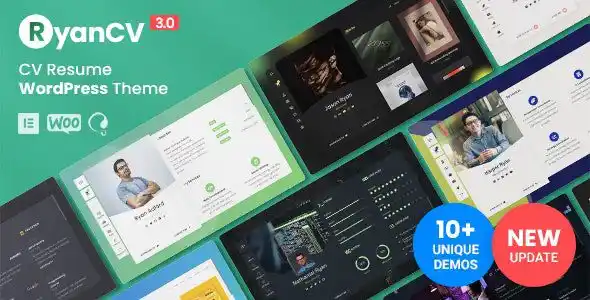
RyanCV 4.1.1 – Personal Portfolio Resume Theme1.0.0

RyanCV 4.1.1 – Personal Portfolio Resume Theme

RyanCV is best suited for developer, designer, programmer, freelancer, writer, lawyer, musician, trainer, photographer or any other professions.

View Details
Salient 18.4.4 – Creative Multipurpose & WooCommerce Theme1.0.0

Salient 18.4.4 – Creative Multipurpose & WooCommerce Theme

Salient which incorporates perfect blend of features and styles that helps users to best showcase business and personal projects.

View Details
EduMall 4.8.3 – Professional LMS Education Center WordPress Theme1.0.0

EduMall 4.8.3 – Professional LMS Education Center WordPress Theme

EduMall is powered by Tutor LMS Pro – A smart, simple, and complete LMS solution for building courses and manage your education center.

View Details
MaxCoach 3.4.2 – Online Courses, Personal Coaching & Education WP Theme1.0.0

MaxCoach 3.4.2 – Online Courses, Personal Coaching & Education WP Theme

MaxCoach is an exquisite intended for creating an online education and coaching website. MaxCoach proves to be the best assistant for building online portal to distance education, delivering one-on-one tutoring, and teaching/learning any subject from home.

View Details
Javo Directory WordPress Theme 5.21.0.0

Javo Directory WordPress Theme 5.2

Javo Directory Based on Visual Composer Drag & Drop. Control every aspect of your web design workflow from one place.

View Details
Enfold 8.3 – Responsive Multi-Purpose Theme1.0.0

Enfold 8.3 – Responsive Multi-Purpose Theme

Enfold is a clean, super flexible and fully responsive WordPress Theme , suited for business websites, shop websites, and users who want to showcase their work on a neat portfolio site.

View Details